Poetry as Your Virtual Env
A quick, practical guide to using Poetry to manage dependencies and create clean, project-level virtual environments.
Poetry as Your Virtual Environment
Python projects go off the rails fast when dependencies leak between projects. Poetry fixes that by managing packages and creating an isolated virtual environment (venv) per project—so installs stay predictable and reproducible.
If you’ve ever heard “works on my machine” and felt your soul leave your body… yeah. Poetry is the antidote.
Why I use Poetry
Poetry helps you:
- Create an isolated environment automatically
- Install dependencies with a lock file (poetry.lock)
- Keep configuration in one place (pyproject.toml)
- Avoid global install accidents (the classic “pip installed it… somewhere?”)
The big win is reproducibility: the same versions install the same way on your laptop, a teammate’s laptop, CI, and production.
Quick setup
1) Install Poetry
curl -sSL https://install.python-poetry.org | python3 -
Make sure Poetry is available:
poetry --version
2) Create or enter a project
New project:
poetry new poetry-demo
cd poetry-demo
Existing folder:
poetry init
3) Install dependencies
poetry install
This creates the venv and installs what’s in pyproject.toml (and resolves versions into poetry.lock).
4) Add a library
poetry add requests
Poetry updates:
- pyproject.toml (declared dependencies)
- poetry.lock (exact resolved versions)
Using the environment
Option A: open a shell inside the venv
poetry shell
Option B: run commands without entering the shell
poetry run python -c "import requests; print(requests.__version__)"
I prefer poetry run for scripts and CI because it’s explicit and avoids “which venv am I in?” confusion.
Keep the venv inside the project
By default, Poetry may store environments in a global cache directory. I usually prefer a local .venv folder so the environment is obvious.
poetry config virtualenvs.in-project true
poetry install
Now you can see the environment right in the repo.
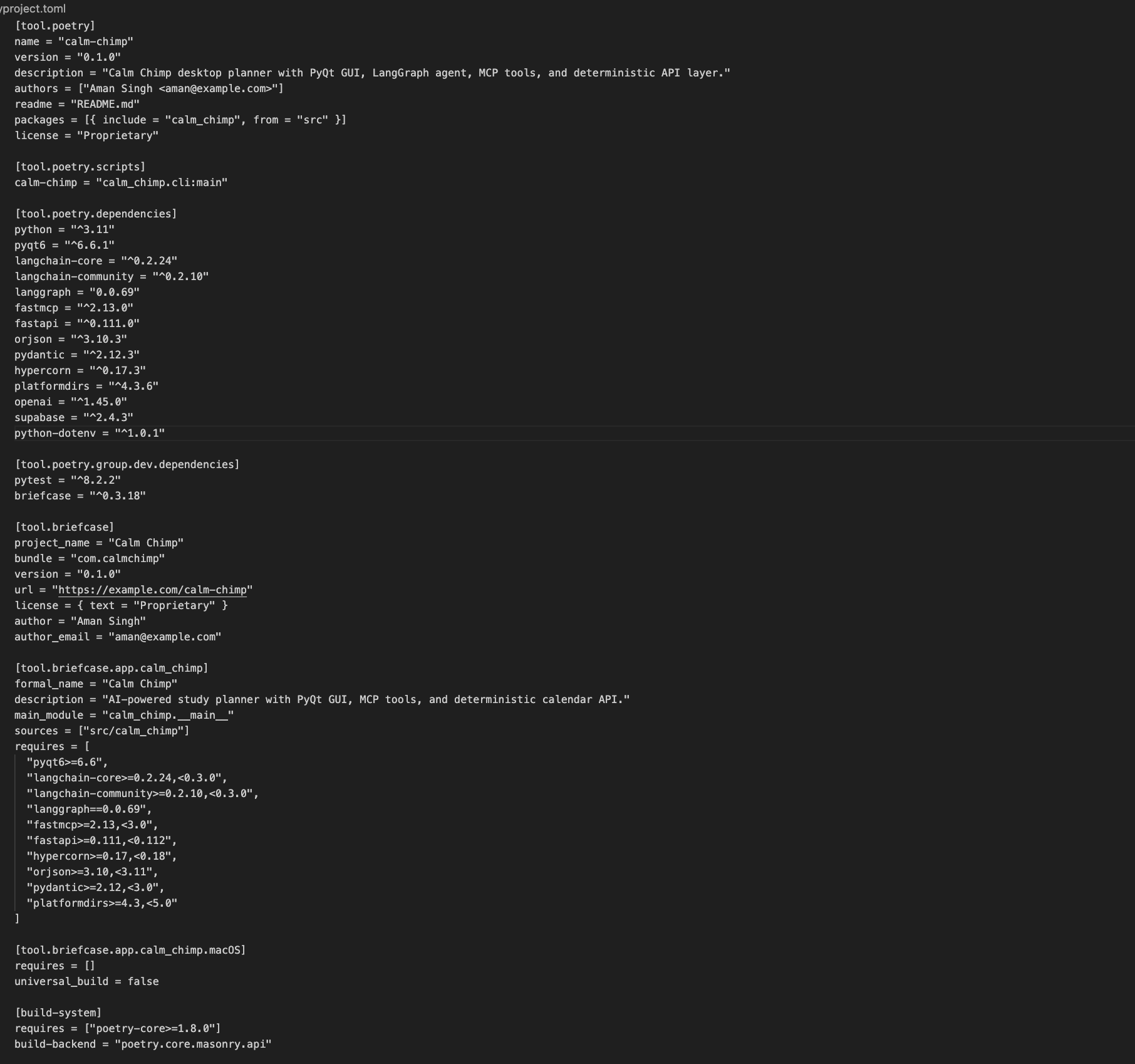
pyrpoject.toml Screenshot
Tiny gotchas
- Avoid mixing global pip install with Poetry projects
- Commit poetry.lock for apps so deployments stay stable
- If Python version matters, set it explicitly in pyproject.toml (example: python = "^3.11")
That’s it: clean envs, fewer surprises, easier debugging.